> ## Documentation Index
> Fetch the complete documentation index at: https://quill.co/docs/llms.txt
> Use this file to discover all available pages before exploring further.
# Create a tenant
> Create objects that own dashboards and can view dashboards owned by other tenants
Tenants do two things in the Quill platform. 1. separate data in a dashboard 2. allow certain organizations, users, etc to see specific reports in a dashboard. To learn more about tenancy read more [here](/docs/bi-platform/overview#2-tenant).
Tenants are the core concept for multi-tenancy in Quill. Each tenant
represents a separate organization, user, etc.
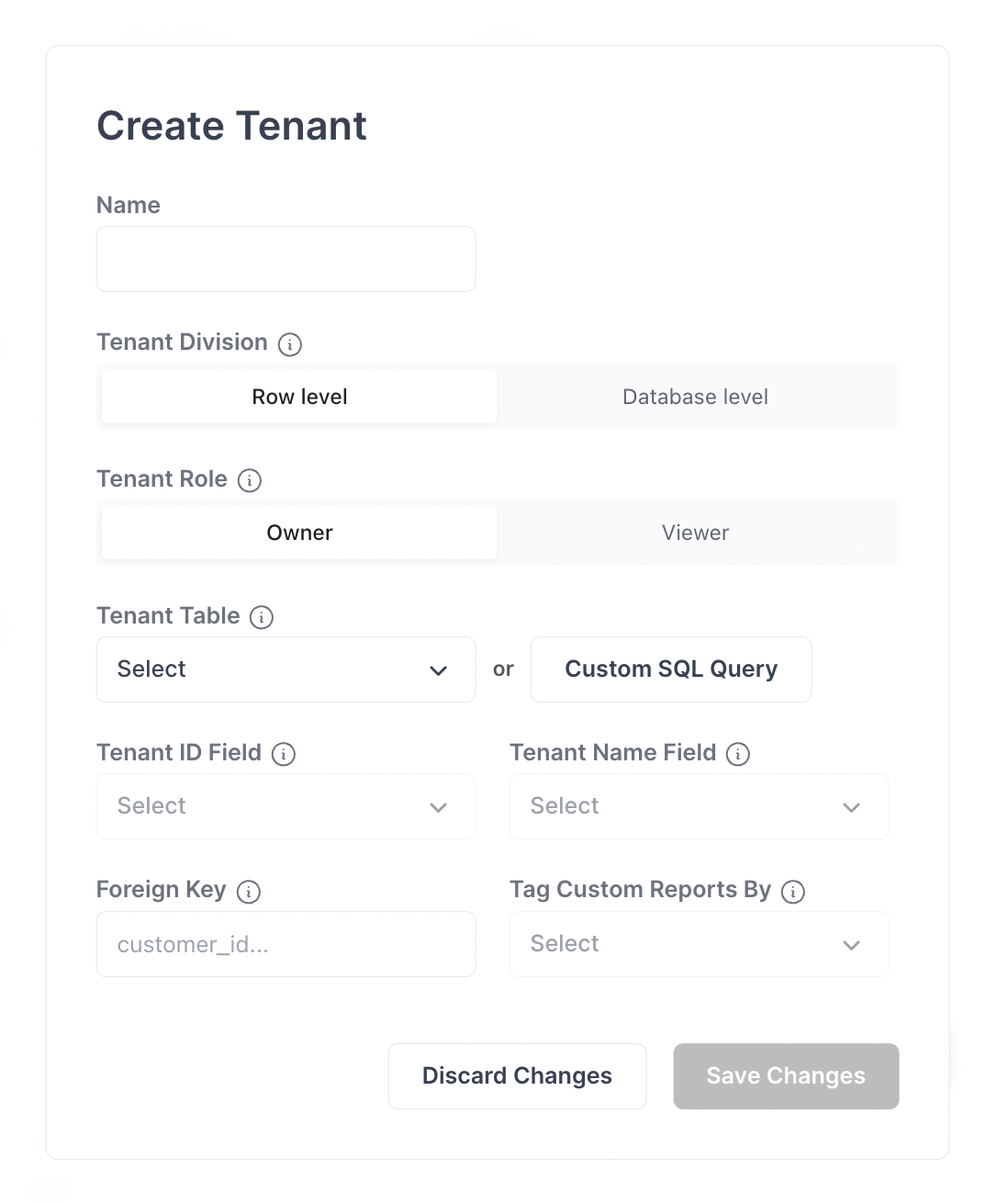
### Tenant Configuration
#### 1. Name
Most commonly the business name. Example: "organization"
#### 2. Division
* **Row** (most common) - Each organization will have its own rows in a table via foreign key, `organization_id`
* **Schema** - Each organization has its own schema
* **Database** - Each organization has its own database instance
#### 3. Roles
* **Owner** - Owner is how dashboard data is divided
* **Viewer** - Viewer can see some list of dashboards